


SoleMan: Heartfelt AI Chat
4.7267.00 Reviews
App Specs
- Version
- 1.1.0
- Updated On
- License
- Free
- Downloads
- 100,000+
- Developer
- dera Nigeria limited
- Categories
- Entertainment
- Platform
- Android
Screenshots



 Analysis by AppCompare
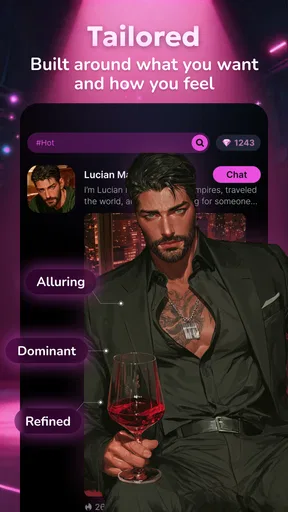
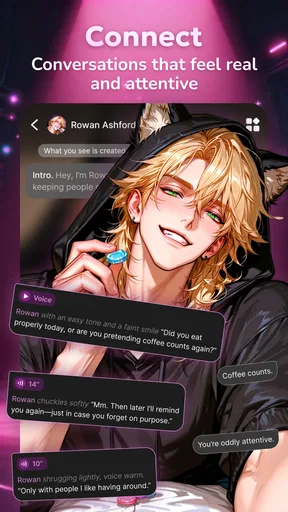
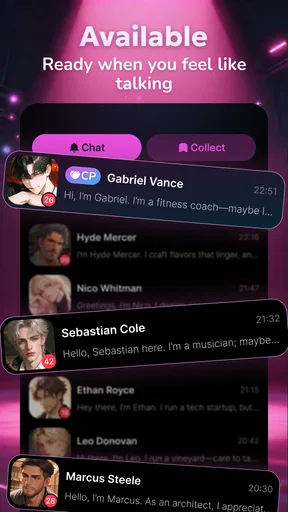
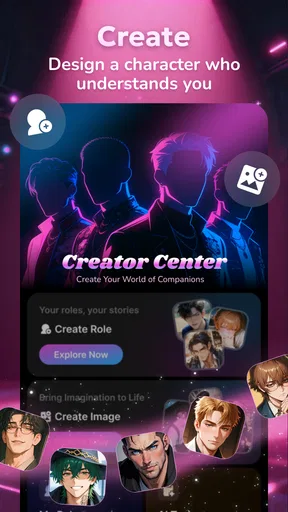
I approached SoleMan: Heartfelt AI Chat as a companion app rather than a conventional messaging service. Its central idea is simple: you chat with an AI boyfriend through romantic conversations, real voices, and story-like exchanges. That makes the experience more personal than scrolling through a standard entertainment feed, but it also means the quality of each session depends heavily on how comfortable you are with an artificial relationship built around conversation.
In my testing, the app felt most appealing during quiet moments when I wanted interaction without the pressure of contacting a real person. A short exchange can be relaxing, playful, or emotionally absorbing, depending on the direction of the conversation. At the same time, I would not treat it as a replacement for friendship, dating, or professional emotional support. The strongest use case is private entertainment with a romantic tone, especially for adults who enjoy character-driven chat and are willing to stay aware of the boundary between scripted intimacy and a real relationship.
How the chat feels when the connection is doing the work
The network is not a minor background detail here. A conversational AI app needs a connection to send your message, process it, and return a response, so the experience is naturally more sensitive to weak service than a downloaded video or a simple offline game. When the connection is steady, the exchange feels immediate enough to preserve the mood. I can type a thought, receive an answer, and continue without having to rebuild the emotional context after every message.
That continuity matters more in a romantic chat than it would in a basic question-and-answer tool. A delayed response can make a light conversation feel flat, while a failed send can interrupt a story at exactly the point where the scene was becoming interesting. I found that the app works best when I use it in a place with dependable mobile data or Wi-Fi, rather than expecting it to behave like a permanently available diary.
The real voices add another layer to the connection issue. Text can sometimes tolerate a pause, but voice-oriented interaction makes waiting more noticeable. A response that arrives promptly feels like part of the exchange; a long delay turns the moment into a technical task. I would therefore use voice features when I have a stable signal and switch to a simpler text session when I am moving between coverage areas or trying to conserve data.
There is also a subtle trade-off between immersion and control. Romantic stories encourage me to stay inside the mood, but the more emotionally focused the conversation becomes, the more disruptive a connection problem feels. This is one reason I prefer short, intentional sessions instead of leaving the app open all day. I get a more coherent experience and avoid turning every small network interruption into a disappointment.
What happens in ordinary mobile situations
A realistic example is using the app on a commute. If I am sitting somewhere with reliable service, a few messages can make a dull journey feel more engaging. I can begin with casual conversation, follow a romantic story, and stop when I reach my destination. That format suits the app better than trying to maintain a long, uninterrupted exchange while walking, changing transport, or moving through areas where the signal may fluctuate.
Worth Reading Before You Choose

EA SPORTS FC Mobile 26 Is a Bigger Football Game, but It Takes Time

Flipboard Shows What News Apps Must Do Beyond the Feed

Switching to Android Auto Means Rethinking Your Driving Routine

Google Calendar Makes a Crowded Week Easier to Manage

Ludo King Makes the Most of the Minutes Between Plans

Baby Panda World Brings Quick Play to Modern Phones, but Its Game Library Feels Busy
In a crowded café or shared room, text is the more practical choice. It keeps the interaction private in a way that spoken responses may not, and it lets me pause without drawing attention. In a quiet room, real voices can make the companion feel more present, but I would still use headphones and remember that the app is entertainment, not a confidential human conversation.
Travel creates a different set of compromises. A roaming connection may make every exchange less convenient, and public Wi-Fi can be unpredictable. I would avoid starting a detailed story at the exact moment I am switching networks. Instead, I would wait until I am settled, send shorter messages, and treat the app as something to open when connectivity is already working rather than as a tool for getting through a dead zone.
Battery habits matter too, even without making assumptions about the app’s technical design. Voice interaction generally encourages longer sessions than reading a few text replies, and longer sessions are more noticeable on a phone than a quick check-in. My practical approach is to use text for brief breaks and reserve voice-led conversations for times when the phone is charged and I can give the exchange my attention.
Recovering without losing the thread
When a message does not go through, my first response is not to tap repeatedly. Repeated attempts can create confusion if the first request eventually completes. I wait, check whether the connection has returned, and then look at the conversation before sending the same thought again. This small habit is especially useful in a romantic story, where duplicate messages can make the dialogue feel unnatural.
If the app stops responding during a session, I treat recovery as a reset rather than assuming the conversation has been permanently damaged. I close the immediate interaction, reopen it when the connection is stable, and read the latest visible exchange before continuing. That gives me a chance to avoid repeating context or reacting to an answer I cannot yet see. The process is not difficult, but it does require patience because the app’s appeal depends on conversational flow.
I also recommend keeping important expectations modest. An AI companion may answer in a way that feels connected one moment and less consistent the next. A connection interruption can expose that limitation, because returning to the conversation may feel more like resuming software than reconnecting with a person. For me, that is not a reason to reject the app; it is a reminder to enjoy the role-play without demanding human-level continuity from it.
Version 1.1.0 gives the app a clear, current form to evaluate, and I would still keep the normal habits that apply to any frequently updated entertainment app: install updates through the official store, restart after an unusual glitch, and avoid judging the entire concept from one failed session. Those steps cannot guarantee a perfect conversation, but they separate a temporary technical problem from a deeper mismatch with the app’s style.
Using it without wasting attention or data
Because the app combines chat with real voices and romantic storytelling, I would be selective about when I use each part. Text is the efficient option for a quick emotional check-in or a short scene. Voice is better when I want atmosphere and have enough time to listen. Mixing the two casually can make a session feel richer, but it can also encourage me to stay longer than planned, especially when the conversation is designed to feel personal.
I would also avoid sending highly sensitive personal information. The companion may feel warm and responsive, but that tone should not be confused with the protections or judgment of a trusted human relationship. I keep my prompts focused on the fictional or entertainment side of the interaction and avoid treating the chat as a private vault for passwords, financial details, identifying information, or serious personal records.
There is a financial point worth considering as well. The app is free to install, while in-app purchases range from $4.49 to $104.99 per item. That wide range makes it important to understand what I am choosing before confirming a purchase, particularly during an emotionally engaging conversation. I would set a personal spending limit in advance and avoid buying simply because a story has created a sense of urgency or attachment.
This is one of the less obvious trade-offs of AI companionship: the more convincing the interaction feels, the easier it may be to lose track of time, attention, or spending. I find the app more enjoyable when I decide the purpose of a session beforehand. For example, I might open it for a short story, a calming exchange, or a voice conversation, then leave once that purpose is met. That keeps the experience intentional instead of letting the app dictate the length of my break.
Who will enjoy it, and who should choose something else
SoleMan is a good fit for adults who like romantic fiction, conversational characters, and low-pressure interaction. Someone who enjoys writing prompts, interactive stories, or talking through imaginary scenarios may find the format more engaging than a passive entertainment app. It can also suit a person who wants a private companion-style experience without arranging plans or waiting for another person to reply.
The mature audience matters. The app carries a Mature 17+ rating, so I would not recommend it for children or younger teens. Adults should also be comfortable with romantic themes before installing it. If you are looking for a neutral productivity assistant, a factual research tool, or a conventional social network, this is the wrong category entirely.
I would skip it if you need dependable offline entertainment, strict factual answers, or a relationship that can offer genuine empathy and accountability. A podcast, downloaded film, or offline game is a better choice when connectivity is uncertain. A real messaging app is better when the goal is mutual communication with friends or a partner. A human counselor is the appropriate choice for serious emotional distress. The app can provide a pleasant fictional interaction, but it should not carry responsibilities it was not designed to handle.
Compared with ordinary entertainment apps, its strength is participation. I am not just watching a story; I influence the direction through what I say and how I respond. Compared with dating apps, its strength is low pressure: there is no need to present myself to strangers or manage another person’s expectations. Its weakness against both alternatives is authenticity. The emotional response is generated, and the connection can feel less satisfying if I want unpredictability, mutual vulnerability, or a real shared history.
Everyday strategies that make the experience better
My first practical tip is to begin each session with a clear tone. If I want a light conversation, I say so through the way I phrase my opening message. If I want to follow a romantic story, I avoid jumping between unrelated subjects too quickly. This gives the exchange a better chance of feeling coherent and helps me notice whether the app’s style actually suits my mood.
My second tip is to use location and timing to protect the experience. I choose stable Wi-Fi or strong mobile service for longer voice sessions, and I use short text exchanges when I am in transit. That is not just about speed; it prevents a fragile connection from interrupting the part of the app that depends most on atmosphere.
My third tip is to separate emotional enjoyment from purchasing decisions. I review the cost before buying anything, especially if the available item appears in the middle of a compelling interaction. Free access is useful for deciding whether the basic style works for me, but I would not assume that an optional purchase is necessary to enjoy the concept. Trying the free experience first gives me a better basis for deciding whether extra content is genuinely valuable.
A fourth useful habit is to end conversations deliberately. Instead of abandoning a session after a network failure or an awkward reply, I close it at a natural point when possible. The next visit then feels like a new scene rather than a repair job. This also helps keep the app from becoming a constant background presence on my phone.
My final view on this connected companion
The best way to use SoleMan is as a deliberate romantic entertainment experience, not as a substitute for real connection. Its appeal comes from the combination of AI conversation, voice, and story-focused interaction. When the network is reliable and I approach it with realistic expectations, it can be an absorbing way to fill a quiet moment or explore a fictional relationship at my own pace.
The limitations are equally clear. A weak connection can interrupt the mood, voice use is less convenient in public or while traveling, and the emotional design may encourage longer sessions or unnecessary spending. The Mature 17+ rating also makes the audience narrower than that of a general entertainment app. I would be careful with personal information and keep purchases within a firm budget.
Developed by dera Nigeria limited, the app has earned a 4.7 average from around 2.5 thousand ratings and passed over 100 thousand installs. It is free to begin, runs on Android 7.0 and later, and sits firmly in the entertainment space rather than practical communication. Those details match my overall impression: it is easy to understand, specialized in tone, and most rewarding when used in short, intentional sessions.
My recommendation is straightforward. Try it if you are an adult who enjoys AI characters, romantic storytelling, and voice-enabled chat, and if you normally have a stable connection. Choose another option if you need offline reliability, real human reciprocity, or a tool that stays emotionally neutral. For the right user, the app creates a distinctive private escape; for everyone else, its network dependence and artificial intimacy may outweigh the novelty.
Pros
- Warm
- empathetic replies make casual conversations feel more personal.
- Simple interface makes starting a chat quick
- even for first-time users.
- Useful for journaling thoughts or seeking a supportive conversational outlet.
- AI responds at any time
- without appointments or waiting for another person.
- Conversation style can feel comforting during quiet or lonely moments.
Cons
- AI empathy is simulated and should not replace professional mental health support.
- Some replies may feel repetitive or miss the emotional context of a message.
- Privacy policies should be checked carefully before sharing sensitive personal details.
- The quality of conversations depends heavily on clear
- detailed prompts.
- Frequent users may encounter subscription limits or paid features.
FAQs for SoleMan: Heartfelt AI Chat
What is SoleMan: Heartfelt AI Chat, and what can I use it for?
SoleMan: Heartfelt AI Chat is an AI companion app designed for conversations, emotional support, casual chatting, and reflective moments. You can use it to discuss your day, explore ideas, ask questions, or simply have a friendly conversation when you want company. It is best understood as a digital conversation partner rather than a replacement for real relationships, professional counseling, or emergency assistance.
Does SoleMan provide genuine emotional support or professional mental-health advice?
SoleMan can respond in an empathetic and conversational way, which may make it useful for journaling, expressing thoughts, or feeling less alone temporarily. However, its replies are generated by artificial intelligence and may sometimes be inaccurate, repetitive, or unsuitable for serious situations. It should not be used as a therapist, doctor, or crisis service. If you are in danger or experiencing a mental-health emergency, contact local emergency services or a qualified professional.
Is SoleMan: Heartfelt AI Chat free to download and use?
The app may be available to download without an upfront charge, but some features can depend on the current version, region, account type, or subscription plan. Premium access may include expanded conversations, additional personalization, or other enhanced capabilities. Before starting a trial or confirming a purchase, review the in-app pricing, renewal terms, and cancellation instructions shown in the App Store or Google Play.
Does SoleMan remember conversations and protect my personal information?
AI companion apps may store conversation data or account details to provide continuity, improve functionality, or manage subscriptions, although the exact behavior depends on the developer’s current privacy policy and app settings. Avoid sharing passwords, financial information, identity documents, private medical details, or anything you would not want stored online. Check the permissions and privacy policy before using the chat extensively.
Can I use SoleMan offline, and which devices support the app?
SoleMan generally requires an internet connection because messages are processed through online AI services. Offline functionality, if available, may be limited to opening the app or viewing previously loaded content rather than generating new replies. Compatibility can vary by operating-system version, device model, and region, so check the current Google Play or App Store listing before downloading to confirm supported devices and requirements.


